
Gold trading hours (XAUUSD): when it opens, closes and pauses
Gold trades almost around the clock on weekdays, but not quite. When the week opens, when the daily break falls and why the times move by an hour twice a year.
When gold (XAUUSD) trades
Spot gold is not traded on one exchange with one bell. Brokers quote XAUUSD from a global over-the-counter market, and the price moves almost around the clock on weekdays. For most MT5 brokers the week runs from Sunday evening to Friday evening, with one short break each day. The pattern follows the New York day: the week opens at 17:00 New York time on Sunday and closes at 17:00 New York time on Friday, and the daily break sits close to 17:00 to 18:00 New York time.
Because New York changes its clocks and most of the world does not, the same pattern lands at a different UTC time in summer and winter. That is the single most useful thing to know before you read any table of gold hours: the market does not move, your clock does. Brokers set their own trading sessions for every symbol, so treat every clock time on this page as the usual market pattern and confirm it for your own symbol in MetaTrader 5.
| Northern winter (US on EST) | Northern summer (US on EDT) | |
|---|---|---|
| Week opens (Sunday, 17:00 New York) | Sunday 22:00 UTC | Sunday 21:00 UTC |
| Daily break (about 17:00 to 18:00 New York) | 22:00 to 23:00 UTC | 21:00 to 22:00 UTC |
| Week closes (Friday, 17:00 New York) | Friday 22:00 UTC | Friday 21:00 UTC |
Gold trading hours in your local time
The table below shows the weekly open, the daily break and the Friday close for four common time zones, worked out from the New York pattern above. None of these zones changes its clock for daylight saving, so their times move by an hour twice a year, when New York changes. For any other zone use the session times converter.
| Zone | Week opens (summer / winter) | Daily break starts (summer / winter) | Week closes (summer / winter) |
|---|---|---|---|
| UAE (Dubai) | Monday 01:00 / Monday 02:00 | 01:00 / 02:00 | Saturday 01:00 / Saturday 02:00 |
| Pakistan (Karachi) | Monday 02:00 / Monday 03:00 | 02:00 / 03:00 | Saturday 02:00 / Saturday 03:00 |
| India (Kolkata) | Monday 02:30 / Monday 03:30 | 02:30 / 03:30 | Saturday 02:30 / Saturday 03:30 |
| South Africa (Johannesburg) | Sunday 23:00 / Monday 00:00 | 23:00 / 00:00 | Friday 23:00 / Saturday 00:00 |
Example, with the pattern above: in northern summer, a trader in Dubai sees gold reopen on Monday at 01:00, break at 01:00 each night for about an hour, and close on Saturday at 01:00. In northern winter every one of those moves to 02:00. A trader in Johannesburg sees the week open on Sunday at 23:00 in summer and at midnight on Monday in winter.
What each part of the day usually looks like
Gold has no official sessions. The labels Asian, London and New York are a convenient way of describing who is awake, and they describe tendencies, not rules. In general:
- Late New York evening into Asia. Often the quietest stretch of the day, with thinner trading and wider spreads at some brokers. Moves that start here can reverse when London arrives.
- London morning. Liquidity rises when European desks open. The London gold benchmark auctions, usually described as taking place at 10:30 and 15:00 London time, are scheduled events some traders watch.
- New York morning. The overlap of London and New York is usually the busiest window of the day. Scheduled US data releases, many of them at 08:30 New York time, can move gold sharply within seconds.
- New York afternoon. Activity usually fades into the daily break. Positions held across the break meet the rollover, which is when swap is applied.
Spreads and slippage are broker-specific and not recorded by AI Trading Journal, so the numbers on your own account are the only ones that count. If your broker publishes its average spread by hour, that is a better guide than any article.
The daily break and the weekend gap
Two parts of the schedule cause most surprises. The first is the daily break. Quotes can pause or widen around it, pending orders may not behave the way they do in the middle of the day and any position still open at the broker’s rollover is charged or credited swap. The rollover follows the broker’s server clock, so read MT5 server time and MT5 swap explained before you hold gold through it.
The second is the weekend. Gold can open on Sunday evening at a different price than it closed on Friday, because news arrives while the market is shut. A stop loss does not guarantee a fill at your price after a gap: it becomes an order that is filled at the next available price. If you hold gold over a weekend, size the trade for the possibility of a gap, not only for the distance to your stop.
Futures and other gold markets have their own hours
Gold futures, such as those traded on CME, have their own schedule, usually described as running from Sunday evening to Friday afternoon with a one-hour daily pause, and gold exchange-traded funds follow stock market hours. Physical gold markets in other countries have still different hours. This page is about the spot XAUUSD symbol that MT5 brokers offer. If you trade futures, an ETF or a local gold market, use the hours published by that exchange or product.
How to check the hours for your own symbol in MetaTrader 5
- Open Market Watch (Ctrl+M) and make sure XAUUSD, or your broker’s name for it, such as XAUUSD.m or GOLD, is listed.
- Right-click the symbol and choose Specification. Many builds list the quote and trade sessions there. The wording and layout vary between versions and brokers, so if you cannot find them, look at your broker’s website, where trading hours are usually published per symbol.
- Note the server time shown in Market Watch and compare it with UTC, as described in MT5 server time explained. The broker’s sessions are quoted on that clock.
- Before a public holiday, check your broker’s holiday schedule. Hours around Christmas Day and New Year’s Day are often reduced, and the exact days differ by broker.
Using the hours in a trading journal
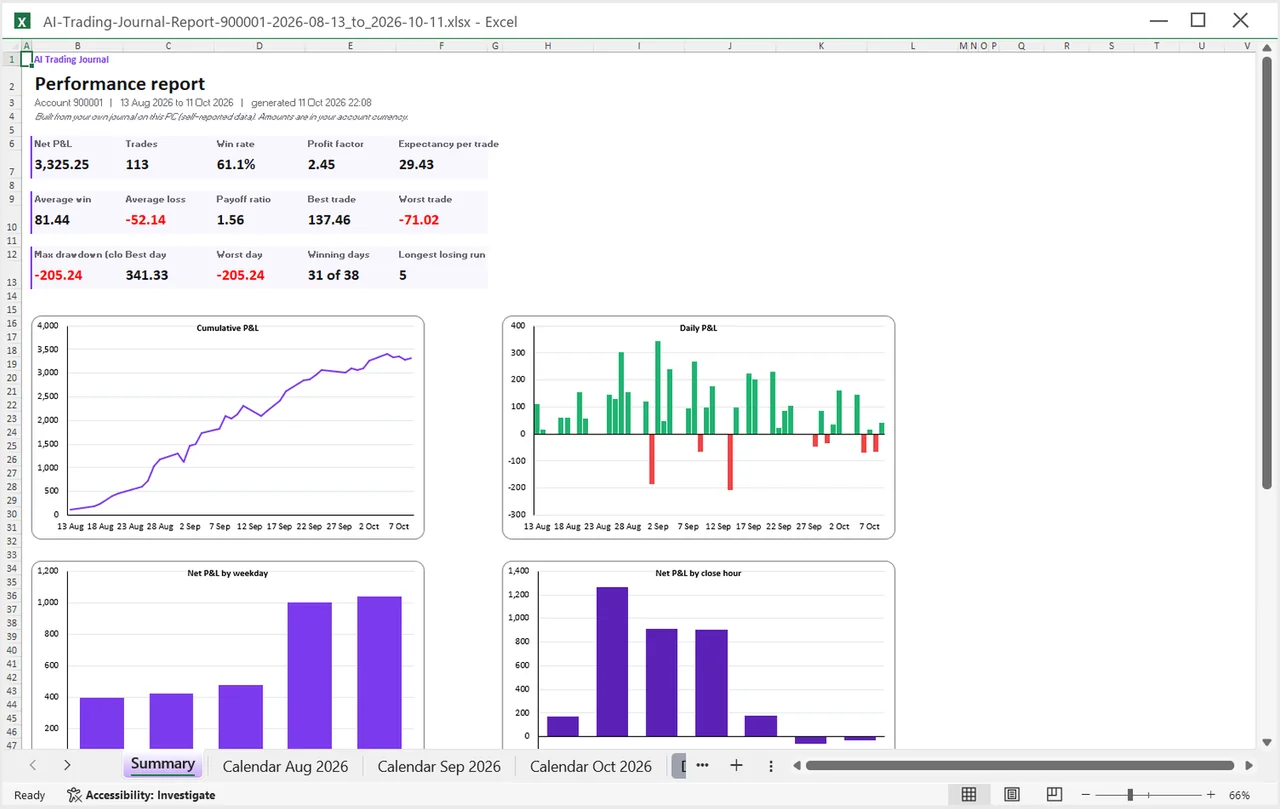
Knowing when gold trades is only the first half. The second half is knowing when you trade it well. AI Trading Journal reads your closed trades from MetaTrader 5 and keeps the open and close time of each one on the broker’s server clock, the same clock as the History tab. Its Excel report includes a chart of net P&L by close hour and by weekday, so you can see whether your gold results cluster in one window. Tag each trade with the session you took it in and compare, as described in the gold trading sessions journal guide, and read how to find your best trading hours for the sample-size traps.
A few related pages for gold traders: the XAUUSD gold trading journal, gold pip value explained, XAUUSD lot size by account size and the XAUUSD margin calculator.
A short checklist before you trade gold
- Know which clock your platform shows and how far it is from yours.
- Check the time of the next daily break and whether you will hold through it.
- Look at the economic calendar for scheduled US releases in your trading window.
- Decide in advance whether you will hold over the weekend, and size for a gap if you do.
- Write down the session you traded in, so the journal can answer which window works for you.
Honest limits
- These are the usual market patterns, not your broker’s official schedule. Your broker may open, pause and close at slightly different times.
- Which period counts as a busy session is a convention, and sources draw the lines differently.
- This page is general information, not trading advice. It does not say that any hour is a good or a bad time to trade.
For index CFDs in South African time, read US30, NAS100 and GER30 hours.
Frequently asked questions
What are the trading hours for gold (XAUUSD)?
Is gold open 24 hours?
When is the daily break for gold?
What time does gold open on Sunday?
What is the best time to trade gold?
Why do gold hours change twice a year?
Related guides
- A local trading journal for MT5
- P&L calendar for MT5
- Trade notes, ratings and screenshots
- Trading progress and goals
- Back up your journal and move it to a new PC
- An offline trading journal for Windows
- How to set monthly trading goals
- Import your whole MT5 history
- How to tag trades
- Trade screenshots for your journal
- All trading journal comparisons
Journal your gold trades by hour: free for 7 days
Free for 7 days, no card required. After that, a one-time $19.99 purchase. No subscription. Also on the Microsoft Store.
One-time $19.99, no monthly fee · your MT5 login never leaves your PC · trades go into your own journal on your PC, not through our servers.
Start free 7-day trial